
Joining the SA Youth Partner Network means being part of solving youth unemployment in South Africa.
It gives partners, like you, the opportunity to access entry level talent for employment, learning, or volunteering opportunities.
You are also able to invite a database of work-seekers to the SA Youth network should you have young people looking for opportunities from your community.
To get you started, we've put together a simple process to help guide you with getting your organisation's profile set up on the SA Youth Partner Network. The set up of your profile will take less than 5 minutes!
Before you start you will need the following information:
- Organisation name
- Organisation registration number
- Jobs Fund reference number (if applicable)
- Contact details (name, surname, email, contact number and job title)
- It's also important to note that the person creating a profile needs to have authority to accept the T&Cs
If you need additional support along the way, please email us at info@sayouth.co.za
Set up your organisation's profile
Navigate to sayouth.co.za/. On the page you will see 3 options at the top right-hand corner, if you want to register as a new partner or login if you are an existing partner click the "Advertise Jobs" button.

On the next screen, choose "Create new account" if you are a new partner joining the network.

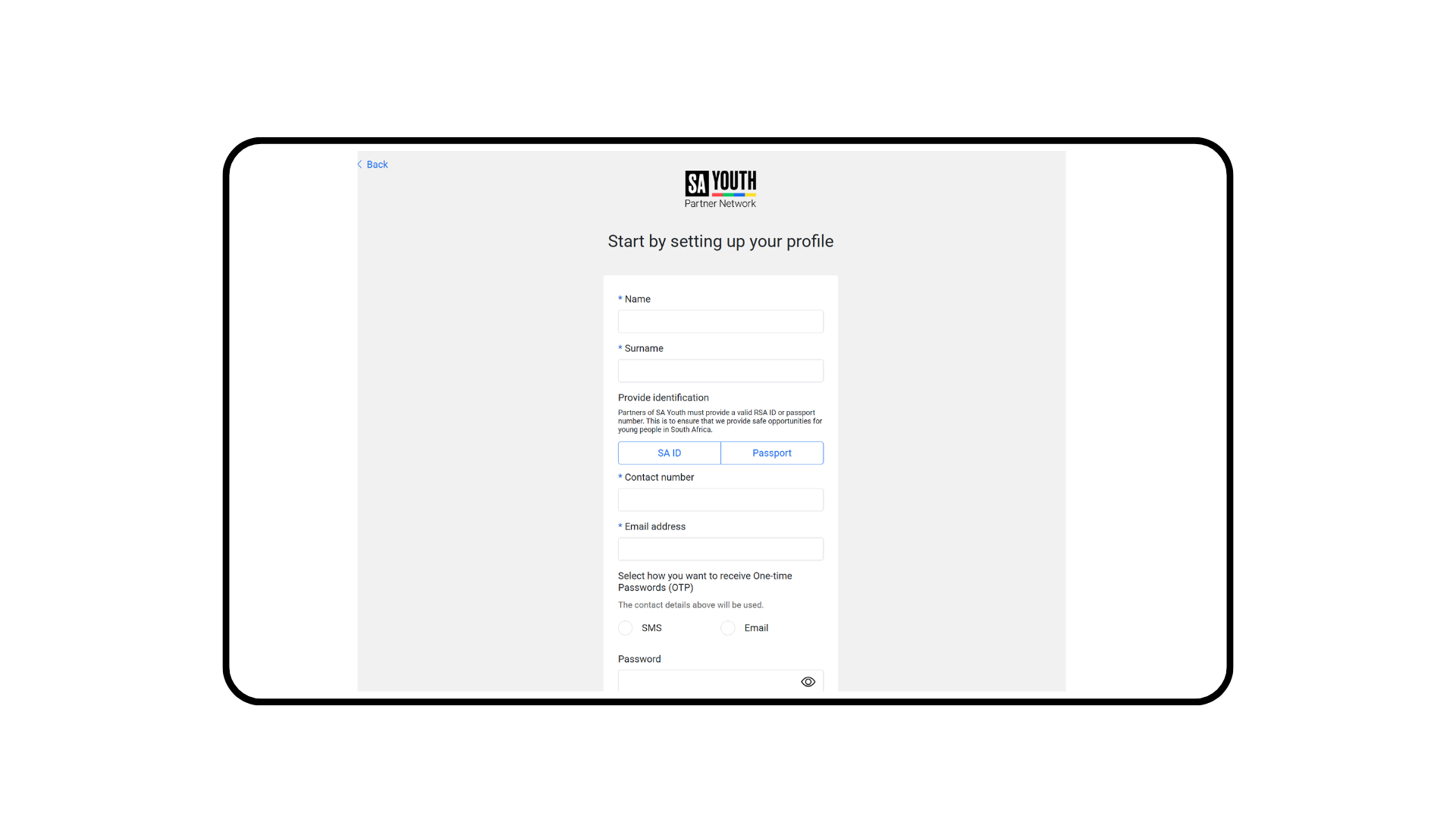
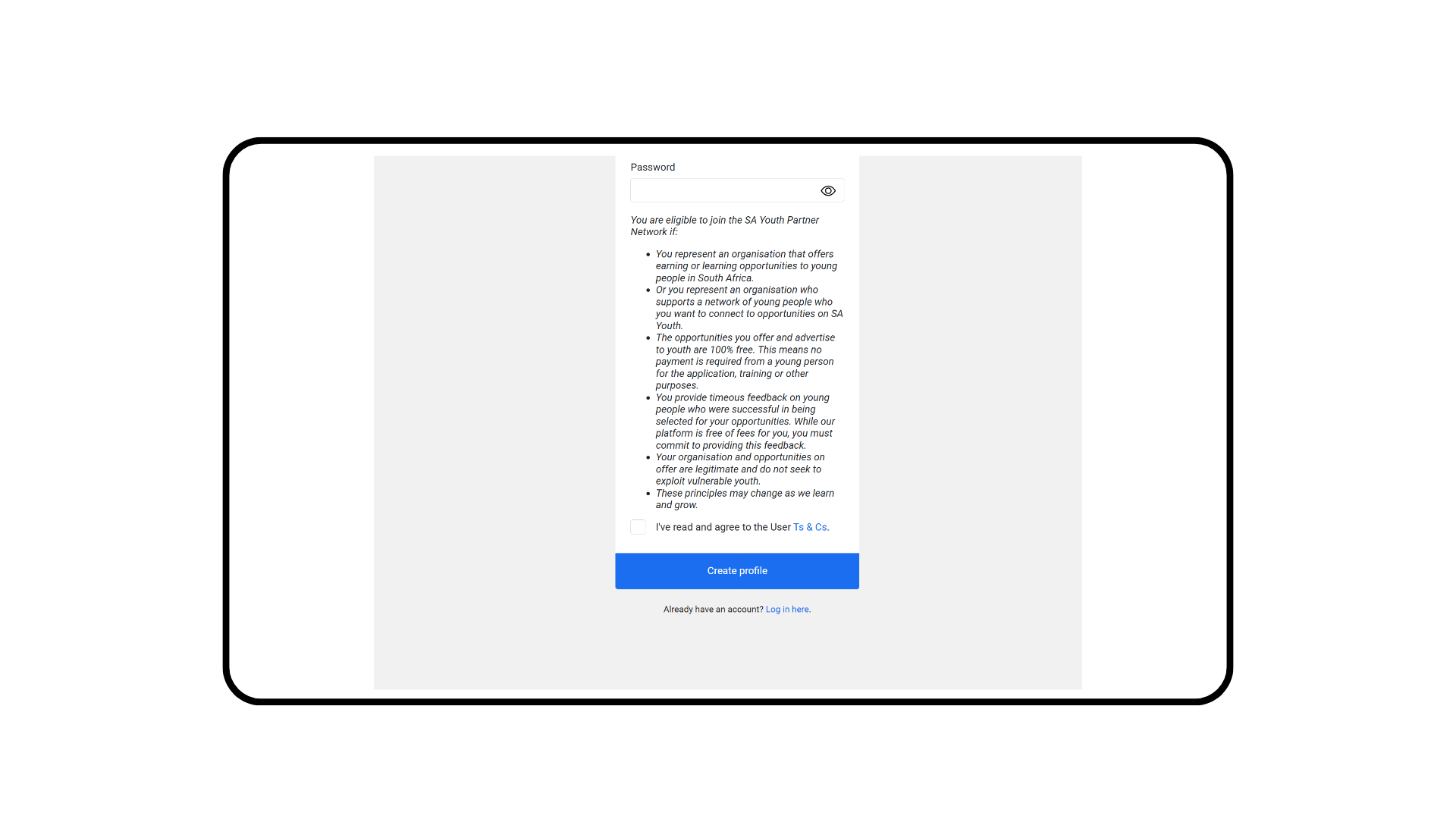
After clicking Create new account, you will be taken to the first step of the registration process. Complete your personal details, review the Terms & Conditions, accept them at the bottom of the form, and then select Create profile.
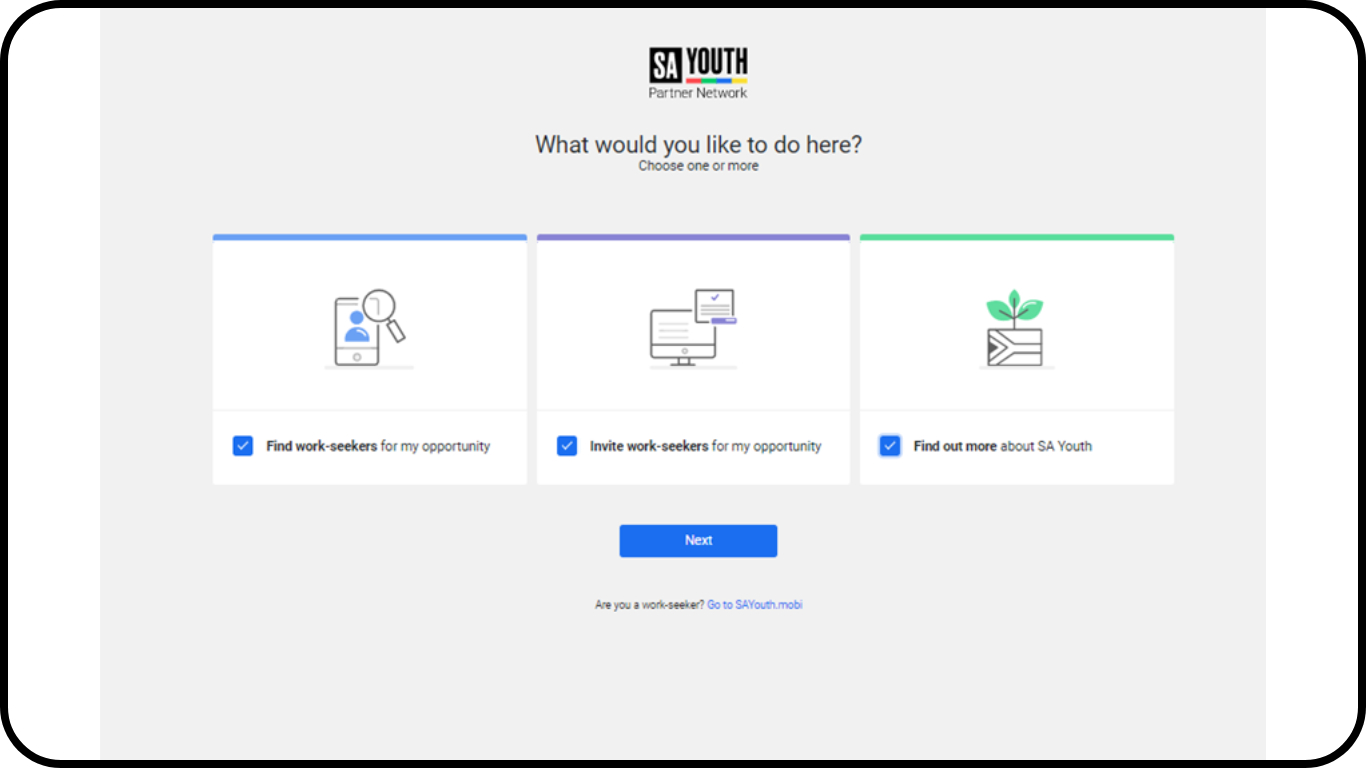
Once you have completed your personal details, you can select one or more of the available options on the next screen. This allows you to choose whether you would like to Find work seekers, Invite work seekers for your opportunities, or Find out more about SA Youth.
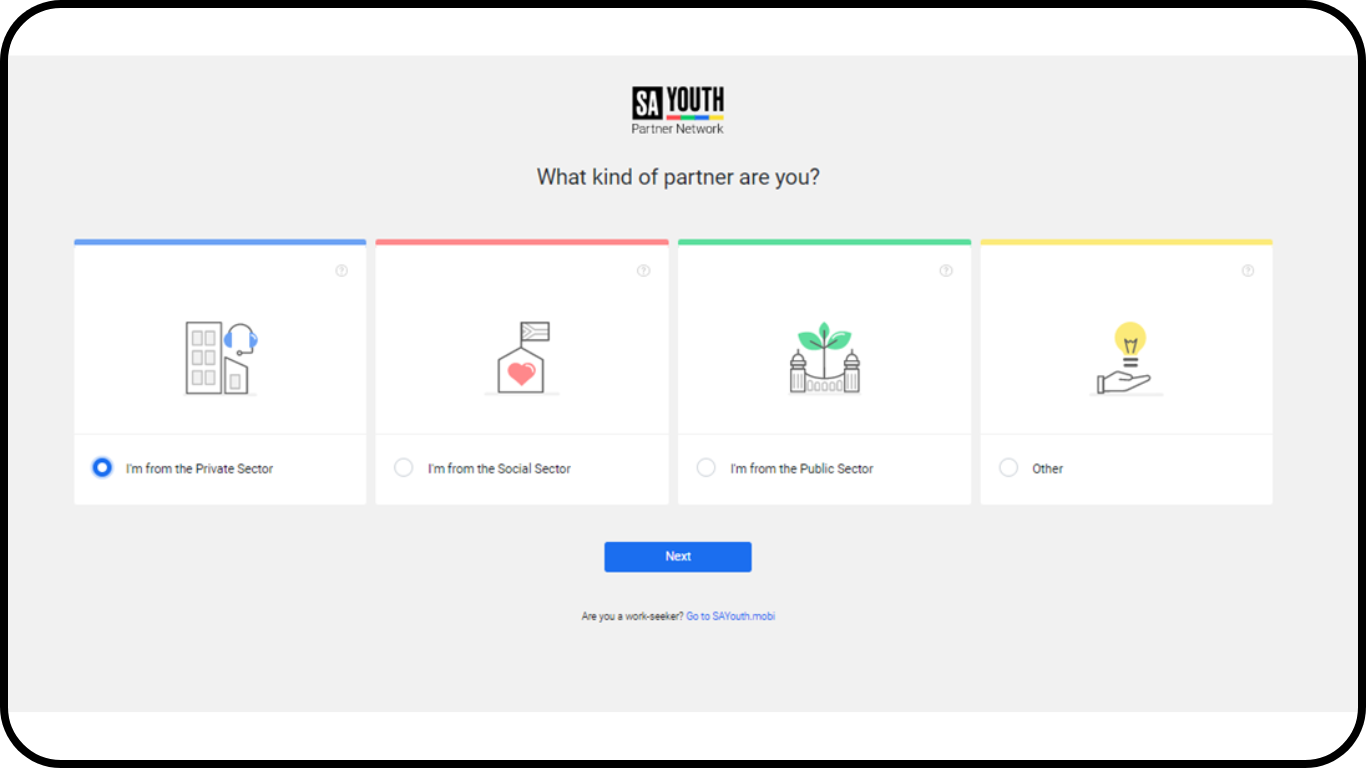
After selecting Next on the previous screen, you will be taken to the next step. Select the sector your organisation operates in, then click Next.
Note: To find out more about each sector, you can hover over the "(?)" icon located at the top-right corner of each card.
Once you have selected a sector, you will be prompted to provide additional information about your organisation. After completing the required details, select Create profile.
Note: These are the different fields you will need to complete depending on the sector selected.
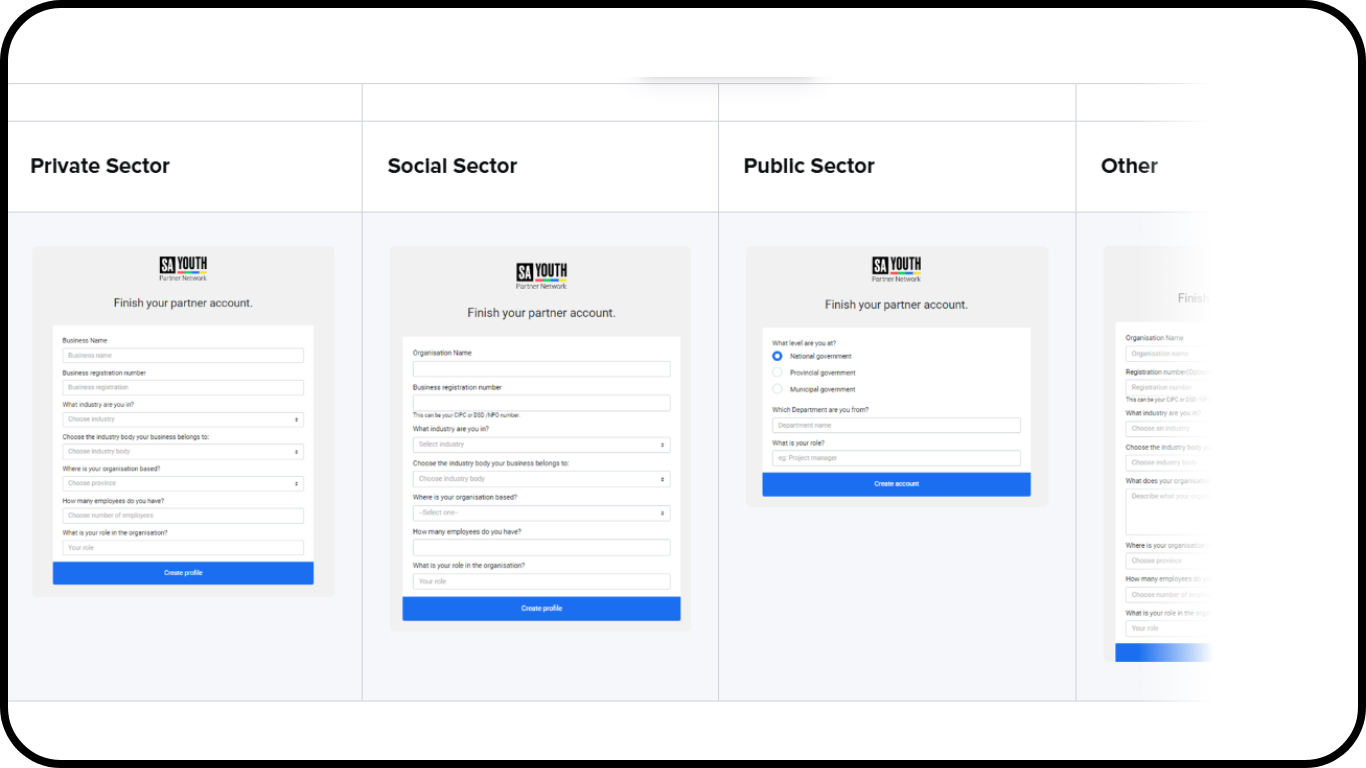
After selecting "Next" from the previous screen, you'll see this screen:
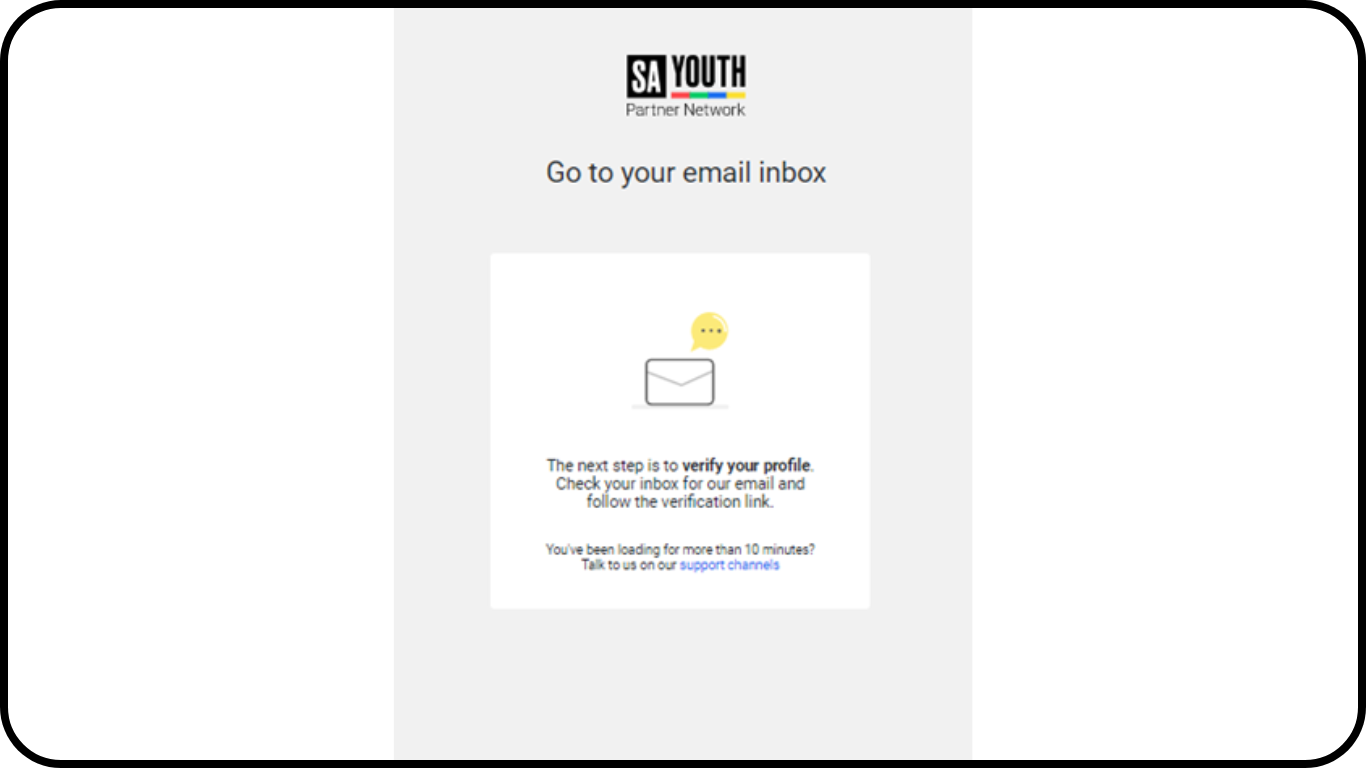
Once you have received the email to verify your email address select the "Verify Email" button on the email you received. You will be prompted to the SA Youth Partner Network Log in screen.

This is the first screen of the onboarding process that will help you orientate and navigate the SA Youth Partner Network. You are welcome to explore and discover the features that will help you connect young South African's to learning and earning opportunities.
TOP TIPS:
- Please note that our team does background checks to ensure that the organizations we work with are legitimate and we try to keep our young people as safe as possible. The verification of your user profile and business profile can take up to 24 hours.
- After the verification process has been successfully completed, a training coordinator will contact you within 24 hours after your profile is live to set up an SA Youth platform training and onboarding session.