
Once an opportunity advert has been created , one of the ways in which you can get more work seeker's to apply to that opportunity advert, is to share the link to it within your network.
The opportunity advert link is meant to be make the advert more accessible to all work seekers, and organisation can share the link within their network of work seekers via WhatsApp or email.
How do I find the link to the opportunity advert?
There 2 ways to get the opportunity advert link.
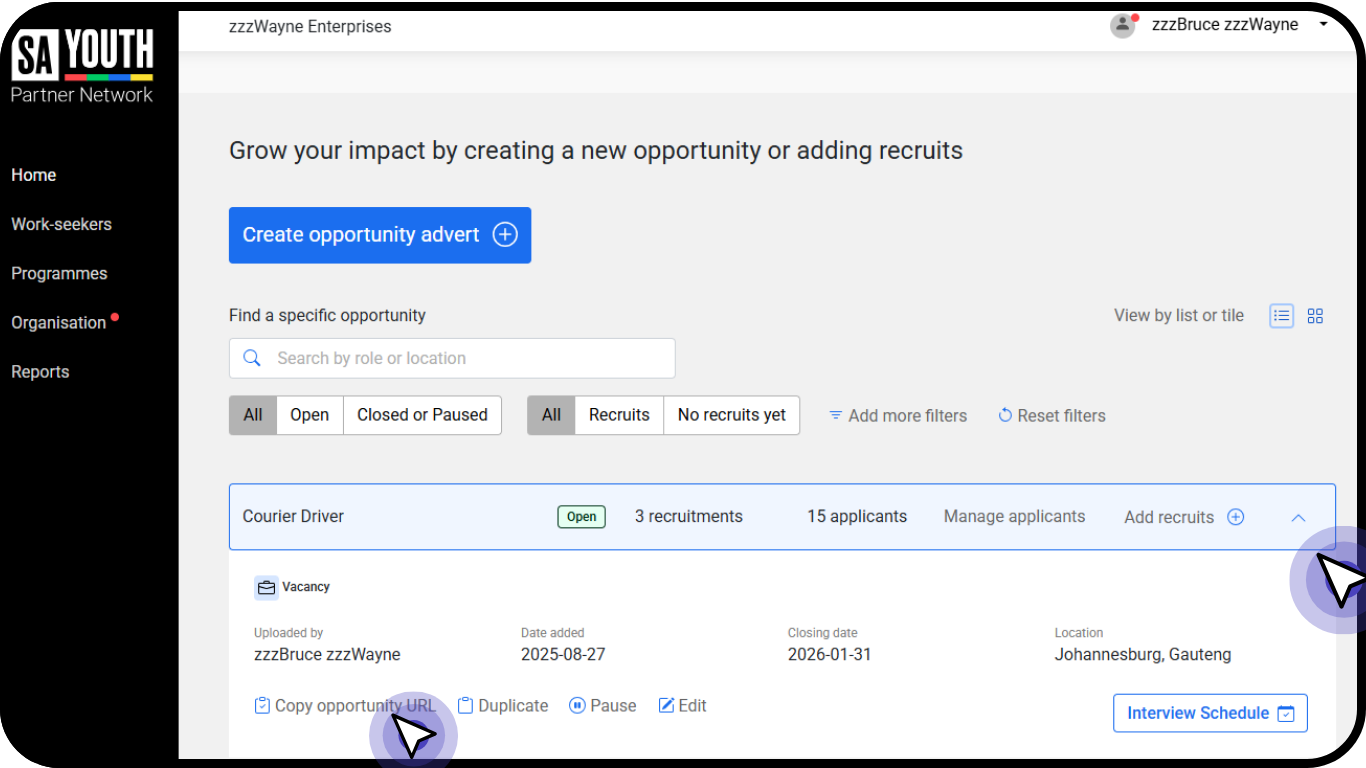
List View: click on the arrow at the end of the Opportunity Advert and copy the opportunity URL (Opportunity Advert Link)
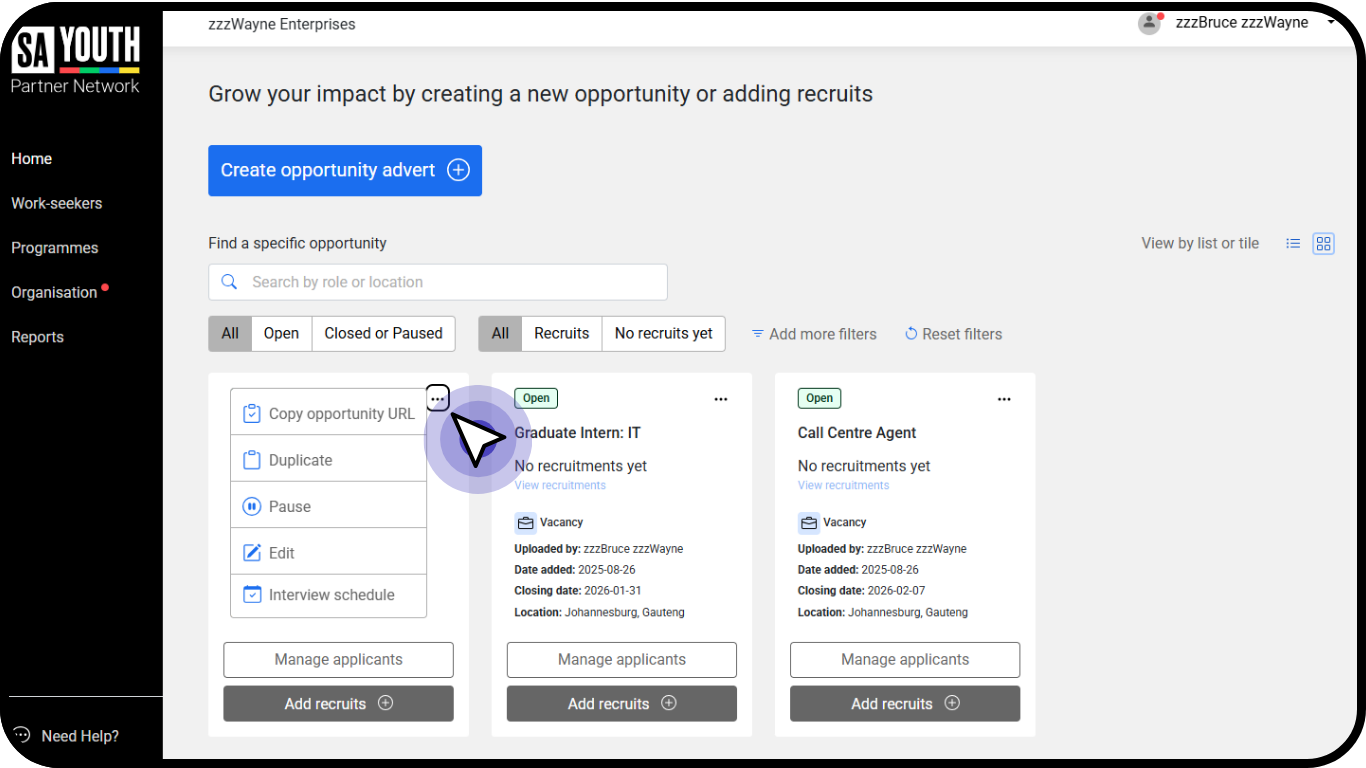
Tile View: click on the '3 dots' and copy the URL (Opportunity Advert Link)
You can share this link within your network. Some ideas of who you can share this with include:
- Your internal teams operating in communities
- Any partners you might have who operate in communities
- You can post this to your website
- You can post this to any of your social media channels
Does the work seeker who applies, need to be a part of the SA Youth Network?
Yes, the work seeker who applies does need to be part of the SA Youth Network. When they follow the link you have shared to the opportunity advert, they will be asked to login or register:
- If they are already in the network, they will be able to simply login and will be directed immediately to your opportunity advert.
- If they are not part of the network they will need to register and then will be directed to your opportunity advert.